
First deployment checklist
Run the complete workflow with one product, one workstation, and one employee before extending it to other lines. This makes data, permission, device, and version problems easier to locate.
This chapter only introduces authorized operations within this enterprise. The entrance and buttons change with the scope of enterprise opening, employee roles and positions; the actual picture uses test data.
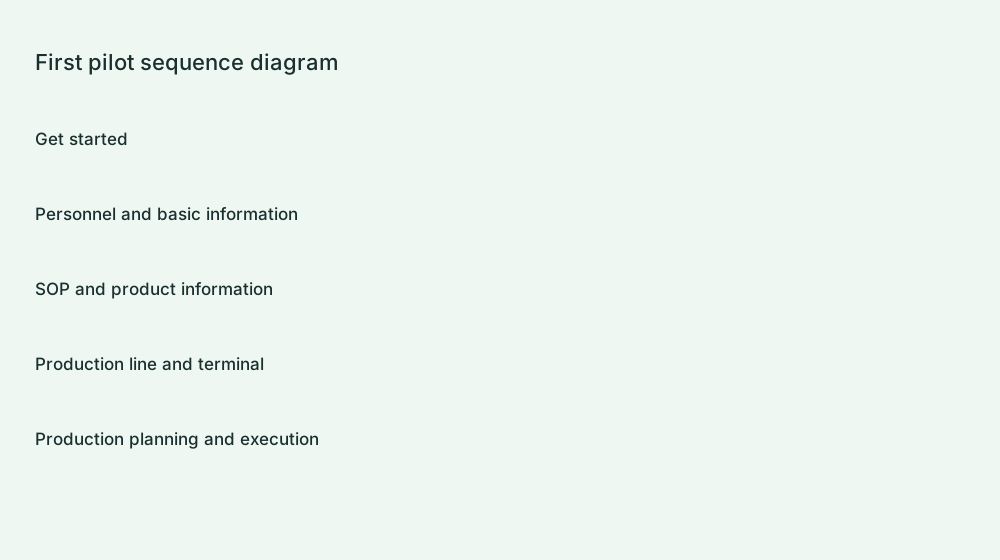
Preparation
| information | What to check |
|---|---|
| People | An administrator, SOP author, reviewer, production manager, and pilot employee. |
| Shop floor | One workshop, one production line, actual workstation names, and corresponding terminals. |
| Work instructions | One pilot product, its operations, and clear, complete attachments. |
| Production task | Order quantity, due date, operation, scheduled quantity, and execution workstation. |
Complete the pilot step by step
- Create the pilot employee under Master data → Employees. Assign only the roles and positions actually required.
- Maintain workshops, lines, and workstations. Confirm that the layout and identifiers match the shop floor.
- Install a compatible terminal, activate it, and bind its workstation. Open Web workstations through the authorized entry.
- Create the product and operations, upload files, preview them, and submit the product SOP version for review.
- After approval, create an order, select the operation, save the schedule, and start it.
- Sign in as the pilot employee on the shop floor. Verify the product, operation, files, and quantities.
- Submit one actual test production report. In Production report history, verify the employee, workstation, time, and quantities.
Checks before wider rollout
- Verify that employees in different positions see only the appropriate menus and can perform only the appropriate operations.
- After an SOP version change, verify that the workstation displays the confirmed version for its actual task.
- Check tasks and records after disconnection, reconnection, and signing in again. Do not mistake cached information for the latest result.
- Verify terminal licenses, storage capacity, and the process for purchasing additional capacity.
Where to investigate problems
For employee or login issues, see Employee management. For work-instruction files, see SOP operations and attachments. If no task is available, check Publish schedules and Terminal installation and binding. For incorrect quantities, check Production report history. Locate the affected step before changing data.
Related information:Implementation Notes · Free resources and upgrades · Terminal download